Top 5 Productivity Tools for Remote Workers
Remote work freedom comes with a hidden cost: you’re responsible for creating your own productive environment. Without the structure of an office, distractions multiply and focus suffers. The good news? The right tools can recreate—and even surpass—office productivity levels from your home.
After three years of full-time remote work, I’ve refined my toolkit to five essential productivity tools. Each one addresses a specific challenge of working from home, and together they create a system that makes focus the default, not the exception.
1. The Noise Cancellation Game-Changer
Household noise is the #1 distraction for remote workers. Family members, neighbors, street sounds—they all interrupt your flow state. Active noise-cancelling headphones don’t just block sound; they signal to your brain that it’s focus time.
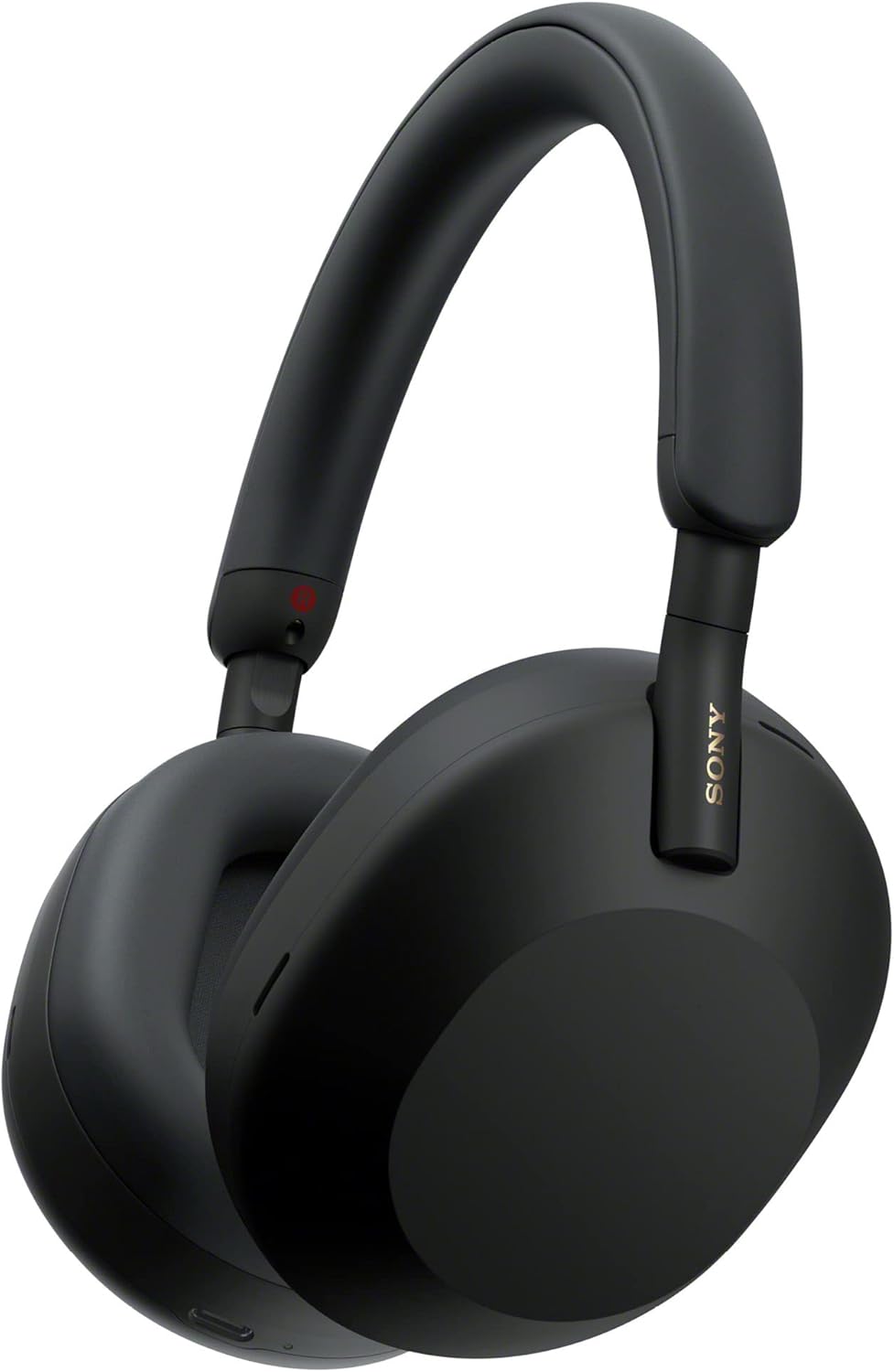
Sony WH-1000XM5 Wireless Noise Canceling Headphones
Industry-leading noise cancellation that adapts to your environment. 30-hour battery life for marathon work sessions. Superior comfort for all-day wear. Eight microphones for crystal-clear calls.
View on Amazon“The best investment I’ve made for remote work. I put these on, and I’m instantly in work mode. My productivity doubled when I stopped fighting background noise.”
2. The Time Management Revolution
Without office rhythms, time becomes fluid. Meetings blur into deep work, which blurs into email, which blurs into… nothing getting done. A visual timer creates external structure when there’s no boss walking by.

Time Timer MOD 60-Minute Visual Timer
The disappearing disk makes time visible at a glance. No distracting ticking sounds. Perfect for Pomodoro technique and focused work blocks. Portable for use anywhere in your home office.
View on AmazonThe visual aspect is crucial. Seeing time physically disappear creates urgency that a digital countdown never matches. Set it for 50 minutes of focused work, then take a 10-minute break. Repeat. It’s simple, but it works.
3. The Analog Capture System
Digital tools are great, but there’s something about writing by hand that helps ideas stick. A dedicated notebook for work creates a physical separation between work and personal life—crucial when both happen in the same space.

Rocketbook Core Reusable Smart Notebook
Write with special Pilot FriXion pens, then scan to cloud services with the app. Wipe clean and reuse infinitely. Reduces paper waste while maintaining the benefits of handwriting. Best of analog and digital worlds.
View on AmazonFor more tools that bridge analog and digital, see our minimalist daily use products guide.
4. The Posture Protector
Office chairs in corporate environments cost $1,000+ for a reason. When you sit 8 hours daily, chair quality directly impacts health, comfort, and ultimately productivity. A lumbar support upgrade transforms any chair.

Everlasting Comfort Lumbar Support Pillow
Memory foam conforms to your spine’s natural curve. Adjustable straps fit any chair. Machine-washable cover. Prevents the lower back pain that derails afternoon productivity.
View on AmazonCombine this with regular standing breaks, and you’ve addressed the biggest physical challenge of desk work. More ergonomic solutions in our WFH essentials guide.
5. The Light That Sets Circadian Rhythms
Remote workers often suffer from inconsistent sleep patterns, which destroys productivity. A light therapy lamp in your workspace helps regulate your circadian rhythm, improving both energy levels and sleep quality.
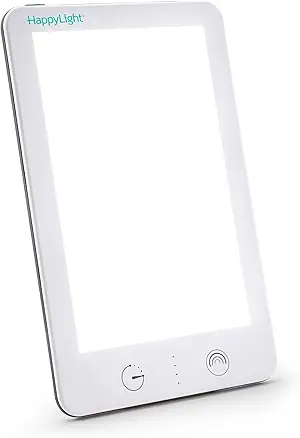
Verilux HappyLight VT22 Light Therapy Lamp
10,000 lux of UV-free white light. Mimics natural sunlight to boost mood and energy. Compact design fits any desk. 30 minutes in the morning can transform your entire workday.
View on AmazonThe System Thinking Approach
These five tools work together as a system:
- Morning: Start with 30 minutes of light therapy while reviewing your Rocketbook notes from yesterday
- Work blocks: Put on noise-cancelling headphones, set the visual timer for 50 minutes, and focus
- Throughout: Lumbar support keeps you comfortable during deep work sessions
- End of day: Review and scan notes, prep tomorrow’s priorities
The key insight: productivity isn’t about willpower. It’s about designing an environment where focus is the path of least resistance. These tools remove friction from doing good work.
Beyond the Basics
Once you’ve established these fundamentals, consider these next-level upgrades:
- A standing desk converter for position variety
- A dedicated webcam for video calls (see our time-saving tech upgrades)
- Quality desk lighting to reduce eye strain
- A whiteboard for visual planning
But don’t skip the fundamentals chasing advanced tools. These five form the foundation that everything else builds upon.